Best FPV Goggles of 2026

FPV goggles turn a small quadcopter into a cockpit. The camera feed fills your whole view and everything behind you stops existing, which is the point, and also why a spotter should always be watching the sky. Good goggles make that view sharp, wide and steady enough that you stop noticing the hardware.

Resolution is not the real decision. Goggles that can't receive your drone's video system are a paperweight, and a pair that pinches your nose or blurs the on-screen text stays in its case however good the panel is. That is why fit and vision correction got as much attention as picture quality over seven months of backyard, club-field and couch sessions, and why the five picks span the video systems people actually fly.

Our Top Picks

The Best FPV Goggles

1.

DJI Goggles 3 Best Overall
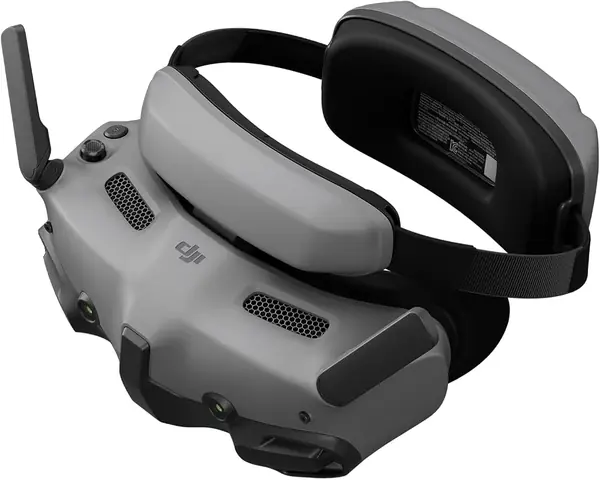
DJI Goggles 3 black FPV headset with front visor and adjustable headband

DJI O4 pilots

Track Score 88/100
Display
1080p Micro-OLED, 100 Hz
Compatibility
DJI O4 and O3 drones and air units
Weight
1.04 lb
Video Transmission
O4, 24 ms, 60 Mbps
View on Amazon

The feature that changed how we fly is Real View PiP. Without lifting the goggles, a small picture-in-picture window shows what's happening around you, so we can check for people or obstacles before a turn. It sounds like a small thing until you're flying a Mini 4 Pro in a park and want to stay aware of your surroundings. The 1080p Micro-OLED screens are the other reason we reach for this headset: they stay sharp and bright at up to 100 Hz, and the O4 feed at 24 ms and 60 Mbps feels immediate. We noticed the difference most when tracking a slow pass; the image holds together instead of smearing.

Comfort is good for a headset this capable. The 1.04-pound body is not weightless, but the forehead pad and foam spread it across your face, and the adjustable diopters let us fly without glasses. We did spend a little time dialing in the headband to get the screens centered. The included corrective lenses and spare padding are the kind of details that make the first week easier.

Compared with the N3, the Goggles 3 buys you OLED contrast and the awareness of Real View PiP. That's the upgrade we notice every flight, and it's why this is our default for DJI O4 drones. The headset has become the one we grab when we want to fly for the view, not just for practice.

Worth Noting

  • DJI-only compatibility rules out Walksnail and analog gear
  • No HDMI input for simulators or analog video
Our Verdict

For pilots already flying DJI O4 drones, these are the goggles we recommend first, thanks to the OLED view and Real View PiP.

Check Latest Price
2.

DJI Goggles N3 Best for Glasses Wearers

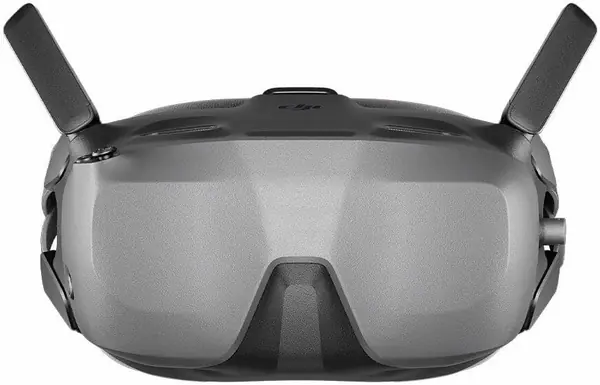
DJI Goggles N3 black FPV headset with wide visor and integrated strap

Glasses wearers

Track Score 87/100
Display
1080p LCD, 60 Hz, 54° FOV
Glasses Fit
Wear glasses without inserts
Video Transmission
O4, 1080p/60fps, 13 km
Battery
2.7 hours
View on Amazon

The N3's interior is the first thing we show people who wear glasses. There's enough room to keep your spectacles on, and you don't need to install diopter lenses or turn an adjustment wheel. That makes it the easiest DJI headset here to hand to a friend or family member who needs correction. We also like that the 1080p LCD screen is wide, at 54 degrees, so the view wraps around you without feeling like a tunnel.

The trade-off is contrast. The N3's LCD can't match the deep blacks of the Goggles 3's OLED panels, and the 60 Hz refresh is fine rather than silky. But the O4 feed at 1080p/60 fps is stable, and the 54-degree field of view does more for immersion than the spec sheet suggests. For most casual pilots, we think the N3 is the smarter DJI buy; the Goggles 3 is the one for image-quality chasers.

The 2.7-hour battery rating is enough for a long morning of flying, and the AR cursor works with the RC Motion 3 when you want to point at menu items instead of hunting for buttons. We found the fit secure and the face padding comfortable, and the wide interior makes it easy to share with someone who wears glasses. That glasses-friendly comfort is why the N3 stays in our bag as the easygoing DJI option.

Worth Noting

  • LCD blacks look washed out next to OLED
Our Verdict

The N3 suits DJI pilots who wear glasses or want the O4 experience for less, as long as they can live with LCD contrast.

Check Latest Price
3.

Walksnail Goggles X Best for Walksnail and Analog

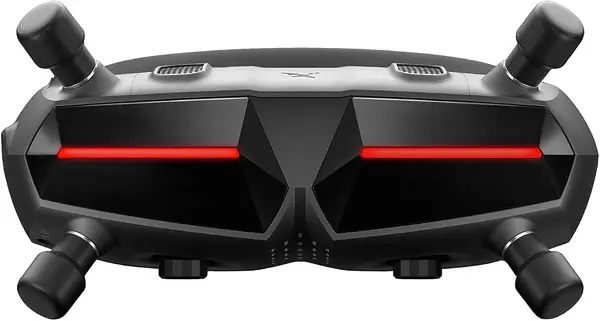
Walksnail Goggles X black FPV headset with antennas and foam face pad

Walksnail pilots

Track Score 83/100
Display
Dual 1920x1080 OLED, 1080p/100fps
Compatibility
Walksnail Avatar HD VTX
Latency
22 ms average
Inputs
HDMI in/out, 3.5mm AV
View on Amazon

The Goggles X is the only headset here that gave us a genuinely analog-friendly path into digital Walksnail flying. Its built-in 3.5mm AV input means we can keep an analog quad in the rotation, while the dual 1920x1080 OLED screens deliver 1080p/100fps with a 50-degree field of view. The image is sharp and colorful, and the 22 ms average latency kept the feed responsive when we made quick corrections. We also appreciate the HDMI input for a PC or a larger display, which makes the headset more versatile than a pure flying tool.

Head tracking is another feature we used more than expected. With a compatible gimbal, the view follows your head, so you can look around without turning the drone. The IPD adjustment runs from 57 mm to 72 mm, and the built-in fan keeps the lenses clear during longer sessions. We did need to spend time getting the stock foam to sit right; the seal is not universal, and a different pad may be necessary for some faces.

If your quads are Walksnail, the Goggles X is the premium choice here. We appreciate the built-in DVR and the HDMI output for showing the feed on a bigger screen. The headset has earned a permanent spot in our Walksnail kit, and the analog input is the reason it stays there.

Worth Noting

  • Walksnail-only receiver limits other systems
Our Verdict

The Goggles X is for Walksnail pilots who want a premium OLED view and an analog input, not for flyers on other video systems.

Check Latest Price
4.

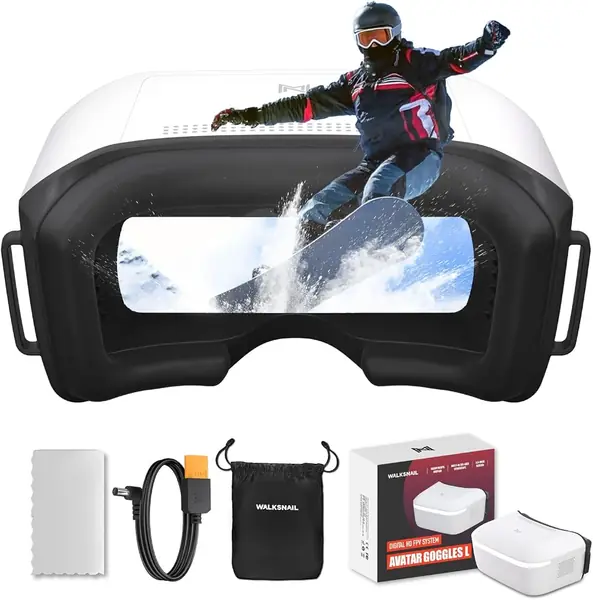
Walksnail Goggles L Best Budget Digital

Walksnail Goggles L gray FPV goggles with screen and adjustable head strap

Budget digital

Track Score 82/100
Display
4.5-inch 1920x1080 LCD, 1080p/60fps
Compatibility
Walksnail Avatar HD VTX
Latency
32 ms average
Power
6-25.2V, 2S-6S
View on Amazon

The Goggles L is the least expensive way into Walksnail's digital system in this group, and that's exactly how we treated it: a first digital headset for someone moving off analog. The 4.5-inch 1920x1080 LCD gives you a 1080p/60fps view that is a clear step up from the soft, noisy analog image. It's not as immersive as the dual OLED panels on the Goggles X, but the screen is bright and legible, and the 32 ms average latency kept the feed usable for cruising and light freestyle.

We liked the built-in DVR more than we expected. Recording the feed to a microSD card means you can review a flight without carrying a separate recorder, and the 6-25.2V input lets you run the goggles from a 2S-6S pack. Head tracking is there for fixed-wing and compatible gimbals, though it's a feature we used less than the screen and DVR. The compact shell is light, and the adjustable strap kept it steady in our sessions.

For a first digital setup, the Goggles L does the important things well: clear screen, useful DVR, and a price that leaves room for more batteries. It doesn't have the polish or the OLED contrast of the Goggles X, but it also doesn't ask you to pay for features you may not need. We keep it as the budget recommendation for Walksnail pilots who want to fly digital without rebuilding their whole kit.

Worth Noting

  • Compact shell can pinch wider faces
  • No HDMI or analog video input
Our Verdict

We recommend the Goggles L as the budget entry into Walksnail digital, provided the compact fit works for your face and you don't need analog or HDMI.

Check Latest Price
5.

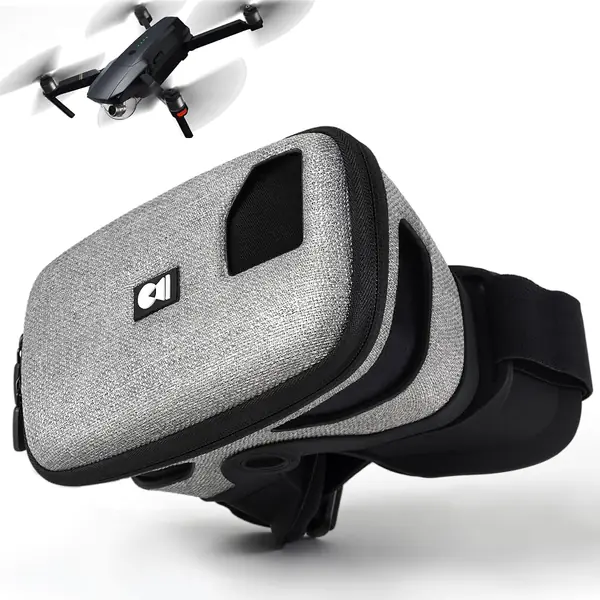
DroneMask 2 Best for Camera Drone Pilots

DroneMask 2 black phone-based FPV headset with padded face opening

Camera drone pilots

Track Score 80/100
Compatibility
Camera drones via phone and controller
Weight
2.87 lb
Glasses Fit
Fits glasses with access holes
Lens
Patented unibody lens
View on Amazon

The DroneMask 2 is not a standalone FPV receiver, and we want to be clear about that up front. It holds your phone behind a unibody lens and relies on your drone's app and controller, so it won't replace a DJI or Walksnail headset for low-latency FPV flying. What it does is make the phone screen usable outdoors: the lightproof shell blocks glare, and the lens gives you a single big image instead of a split-screen view.

We used it with a phone in the cradle and a controller, and we liked the screen-access holes. You can tap the phone without taking the mask off, which matters when you're changing camera settings or switching modes. The soft face padding is comfortable over glasses, and the whole thing feels less fussy than a dedicated headset for casual flights. It's the kind of accessory that turns a camera drone into a shared experience.

For a passenger who wants to watch, or a pilot who already flies with a phone, it's a clever budget option. It is not the one we recommend for racing or cinematic FPV, where a dedicated headset's low latency and native display matter. We keep it as the cheap way to get a big view out of the drone you already own.

Worth Noting

  • Image sharpness depends on your phone screen
  • Nose pressure builds during long sessions
Our Verdict

The DroneMask 2 is for casual camera-drone pilots who want a big, glare-free phone view, not for standalone FPV flying.

Check Latest Price

How We Tested FPV Goggles

We started by sorting every set we could find by the one thing that can't be worked around: the video system it speaks. Goggles built for DJI O4 and O3, sets built around Walksnail Avatar HD, boxes with analog and HDMI inputs, and phone-based viewers don't compete with each other — they compete inside their own ecosystem. From there we filtered by display type, latency claims, glasses fit, and what each set adds to a kit you may already own. Eight sets made the cut and flew for seven months.

Every set got the same bench work. We timed from power button to live image, then cold-started each one repeatedly over the months to see which booted reliably and which threw firmware prompts. We also ran the same small quad through the same gate at the same throttle with every set and watched which one showed the gate first — the closest thing to an honest latency test we could rig. Range we judged by flying identical routes and noting where the feed went soft before it dropped.

Then we wore them. Our glasses wearer tried each set over his frames and without them, checking whether the lenses pressed his temples or fogged, and we dialed diopters and swapped lenses to see if the on-screen text could be sharpened without inserts. Each set stayed on for a full battery, and we noted where foam dug into cheekbones and weight reached the neck. Flying out of shade into sun showed how each screen handled blown highlights.

Features got used, not just listed: we checked DVR clips for dropped frames, fed a laptop into the HDMI port, ran an old analog build into the AV input, and watched how far head tracking drifted. Every flight had a visual observer watching the airspace.

How to Choose FPV Goggles

Start With Your Drone's Video System

A goggle is only as useful as the signal it can receive. DJI's O4 system pairs with the Goggles 3 and N3, while the Goggles 3 also works with O3 air units. Walksnail Avatar HD air units need a Walksnail headset like the Goggles X or L. Analog quads are a separate world, and a phone-based viewer such as the DroneMask 2 is a third path that relies on your drone's app. The trap is assuming HDMI or a generic receiver will make everything work; most goggles are locked to their maker's system. List your drone or VTX before you shop, and buy for the gear you fly now, not the gear you might buy later.

Choose the Screen You'll Actually Enjoy

Micro-OLED screens, as on the Goggles 3 and Goggles X, give you deeper contrast and a more immersive image, while LCD headsets like the N3 and Goggles L can be bright, wide, and easier on the budget. Resolution alone doesn't settle it: field of view, refresh rate, and lens quality all change how the picture feels. We prioritize OLED when image quality is the point of the purchase, and LCD when comfort, glasses fit, or price matters more. A 54-degree LCD can feel more enveloping than a narrow OLED, so try to compare the whole view, not just the spec line.

Fit and Vision Correction Matter More Than You Think

FPV goggles sit on your face for a whole battery, so a poor seal or a pinched nose ruins the session. Diopter adjustment, as on the Goggles 3, lets some pilots fly without glasses; the N3 takes the opposite approach with a spacious interior that fits spectacles. Interpupillary distance and foam shape vary widely, and the stock pad may not suit every face. We check whether the goggles can be adjusted without tools and whether replacement foam is available. If you wear glasses or have a wide face, buy from a seller with a return policy and test the fit before you commit.

Latency, Range, and Bitrate

For freestyle and racing, latency matters more than the range claim on the box. The Goggles 3 and Goggles X list latency around 22 to 24 ms, while the Goggles L lists 32 ms; the difference is small on paper but noticeable when you're making quick corrections. Range figures are measured in open, interference-free conditions, so trees, buildings, and other radios will cut them down. Bitrate affects how much detail survives in the feed, especially in busy scenes. We look for a stable low-latency mode first, then treat the longest range number as a best-case scenario.

Features You'll Use, and Ones You Won't

Head tracking, DVR, HDMI input, and analog support can make a headset more versatile, but each one only matters if it fits your flying. Head tracking needs a compatible gimbal or controller; the Goggles X's analog input is a real advantage for a mixed fleet, while the Goggles L's built-in DVR is more useful for reviewing flights than for live flying. HDMI input is handy for simulators or a larger display, but it isn't a universal compatibility fix. We prefer to pay for a screen and fit we love rather than a checklist of features we never touch.

Frequently Asked Questions

Final Verdict

For most pilots, DJI Goggles 3 is the headset we point to first. It matches current DJI O4 drones and air units, the micro-OLED view is the best image in this group, and Real View PiP makes the headset easier to live with. If you wear glasses or want to spend less inside DJI, the N3 is the better fit. Walksnail pilots should choose the Goggles X for OLED and analog support, or the Goggles L for a budget digital start. The DroneMask 2 is a phone-based viewer, not a standalone replacement.