Best 3D Printers for Miniatures and Terrain of 2026

A 28 mm goblin and a foot-tall ruined tower are different print jobs. Resin holds detail down to a fraction of a millimeter, so faces, straps and shield rims survive at tabletop scale; filament turns out big, tough, hollow terrain you can carry in a tote without snapping a spear. Choose the wrong side and your evenings go to sanding layer lines, or to slicing a tower into twelve pieces that no longer line up.

Resolution and build volume decide what you can print. Adhesion, leveling and clogging decide whether you keep printing, and across warbands, dungeon tiles and a modular tower on nine machines, that is where the failures came from, not the numbers on the box. Several picks here print in more than one color at a time.

Our Top Picks

The Best 3D Printers for Miniatures and Terrain

1.

ELEGOO Saturn 3 Ultra 12K Best Overall
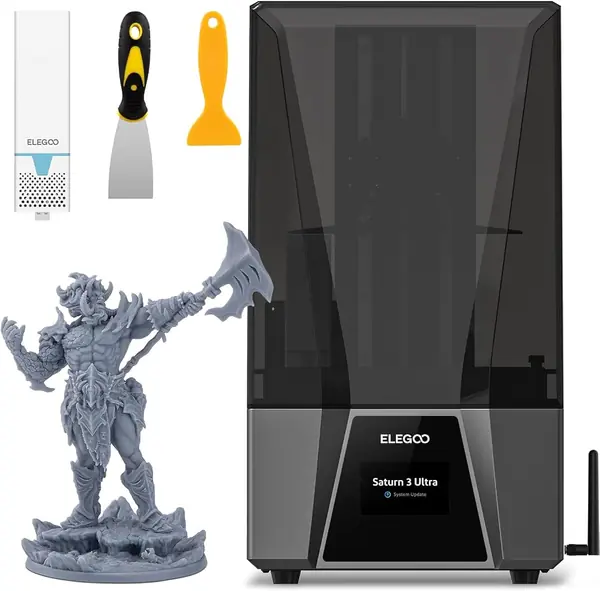
ELEGOO Saturn 3 Ultra resin 3D printer with 10-inch monochrome LCD and laser-carved plate

Miniatures and terrain

Track Score 89/100
Build Volume
218.88 x 122.88 x 260 mm
LCD Panel
10-inch monochrome, 11520 x 5120
Print Speed
150 mm/h with rapid resin
File Transfer
Wi-Fi
View on Amazon

218.88 by 122.88 millimeters is the number that decided this one for us. That's the Saturn 3 Ultra's build plate, and it's the difference between printing a warband one figure at a time and printing the whole unit, supports and bases included, in a single run. With 260mm of Z travel there's room for a ruined tower or a section of dungeon wall too, so both halves of this hobby share one machine.

The 10-inch monochrome LCD runs 11520 by 5120, the finest pixel grid on this list, and the COB refractive light source is built to keep exposure even from edge to edge, which is what stops a rank of identical infantry from printing soft at the corners. Chainmail, cloak folds and the underside of a jaw all survive. We also like that ELEGOO put the awkward parts of resin printing on the machine rather than on you: files go over Wi-Fi instead of a USB stick, and the 4-inch touchscreen is readable from arm's length.

The ACF release film is worth understanding before you buy. It costs more to replace than the FEP most printers ship with, and it's there to lower the peel force on large cross-sections, exactly what a full plate of miniatures creates. Combined with the laser-carved build plate, this is a machine tuned for loading the plate up rather than printing one hero at a time.

What you accept is resin, with everything that follows: gloves, alcohol, a ventilated corner, and a wash-and-cure station that isn't in the box. Treat the LCD as a wear item, the way you would on any masked stereolithography printer this size. Neither is a reason to look elsewhere if detail is the point. It's the cost of admission to this resolution at this plate size.

Our Verdict

We recommend the Saturn 3 Ultra to anyone whose pile is mostly miniatures with terrain mixed in: its 10-inch 12K plate prints a full warband at a resolution the cheaper machines here can't touch.

Check Latest Price
2.

Bambu Lab A1 Best FDM for Terrain

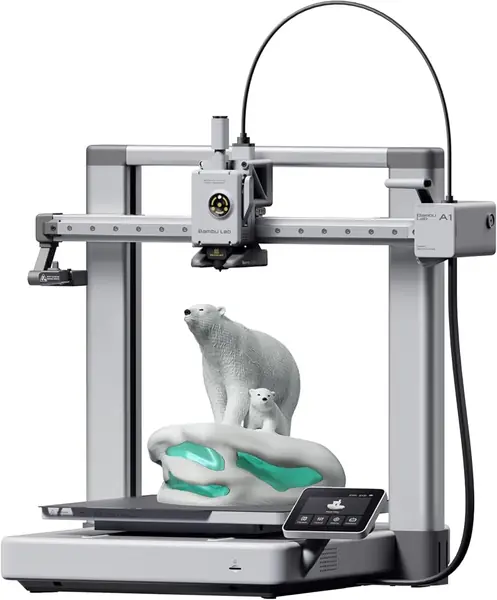
Bambu Lab A1 filament 3D printer with touchscreen and automatic bed calibration

Terrain and beginners

Track Score 88/100
Calibration
Full-auto on every print
Noise Level
48 dB or lower
Acceleration
10,000 mm/s²
View on Amazon

Detail is the trade you make here. A filament printer lays down a bead of plastic, so a 28mm face arrives with visible layer lines and a helmet crest that reads as a suggestion, and a smaller nozzle plus slower speeds narrow that gap without closing it. If your pile is mostly characters, this is the wrong machine and resin is the right one.

What we like about the A1 is how much it takes out of your hands. Full-auto calibration runs on every job, covering Z-offset, bed mesh, vibration and nozzle pressure, so the machine corrects itself instead of asking you to. That shows up as first layers that simply work, which is the whole game on terrain, where a failed wall section costs you an evening and most of a spool. It's quiet too: Bambu rates it at 48 dB or less, low enough to run a room away through a movie.

It sits near the bottom of the price range here and the top of the convenience curve. Nothing in this group gets a beginner from box to finished tile with less fiddling, and it does the job without a wash station, gloves or a bottle of alcohol. Hills, ruins, barrels and bridges come off it ready to prime, and a 22-pound body leaves room on the bench for the resin printer you'll want next.

Worth Noting

  • Multi-color needs the separate AMS lite
Our Verdict

We point anyone printing hills, ruins and dungeon walls at the A1: it's the least fussy filament machine here, and auto-calibration means your first terrain tile comes off without tuning.

Check Latest Price
3.

Bambu Lab P2S Combo Best Enclosed All-Rounder

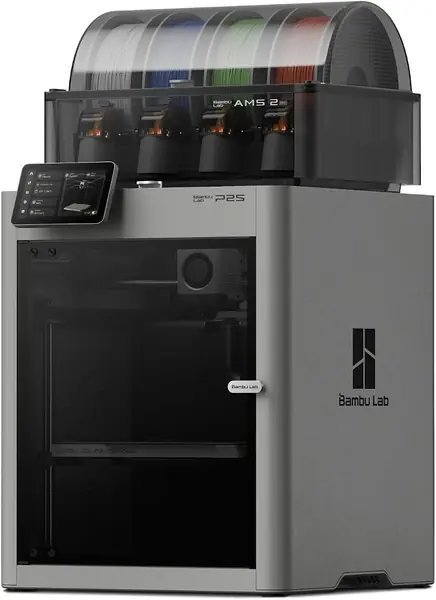
Bambu Lab P2S Combo 3D printer with AMS 2 Pro four-spool unit and enclosed frame

Hands-off multicolor

Track Score 87/100
Chamber
Adaptive airflow to 50 °C
Max Speed
600 mm/s
Setup Time
15 minutes to first print
Filament Drying
Up to 65 °C in AMS 2 Pro
View on Amazon

The AMS 2 Pro is the reason the combo exists. Four spools feed the printer, and the unit dries filament at up to 65°C while it sits there, which we think matters more than it sounds in a humid room, where a spool that has drunk a week of summer air prints with pops and pinholes. Around it, the enclosure and adaptive airflow decide whether cool air hits an overhang or a 50°C chamber holds heat for engineering materials.

Bambu's own figure for setup is 15 minutes, and the machine does the rest itself: automatic calibration, a servo extruder compensating flow as it prints, quick-swap nozzles for when you want a different bead width. AI failure detection watches the plate, which is the feature that matters most when you've started an overnight job and gone to bed.

Where it earns its place is as the low-risk option in this group: a machine that shows up square, calibrates itself and prints. After a few weeks with it, the only thing we still argue with is detail, because a 28mm face will show layer lines no matter how well the flow is tuned. Print your walls and ruins here and your characters on resin.

Worth Noting

  • Enclosed body is bulky on a workbench
Our Verdict

The P2S Combo is the one we hand to someone who wants to print rather than tinker: calibrated in minutes, filament dried in the AMS, four colors from the first job.

Check Latest Price
4.

Snapmaker U1 Best for Multicolor Terrain

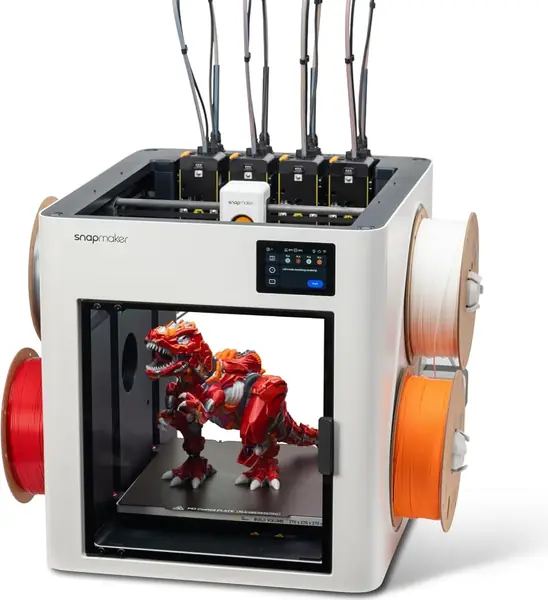
Snapmaker U1 3D printer with four independent toolheads and side-mounted filament spools

Colored terrain

Track Score 86/100
Weight
57.9 lb
Calibration
Automatic offset and vibration
Toolheads
4 independent
Tool Change
About 5 seconds
View on Amazon

Four toolheads, each parked and preheated, and a change that takes about five seconds. That's the whole idea: instead of dragging one filament back through a shared path and purging the old color out of the nozzle, the U1 sets one head down and picks another up. On a multicolor print, the purge tower that normally eats your filament simply doesn't exist.

The other half of that design is materials. Rigid and flexible filaments in the same print, water-soluble supports under an overhang, each head on its own path so there is no cross-contamination to clean out between jobs. Automatic toolhead offset calibration and vibration compensation handle the alignment that used to be a shim-and-test afternoon.

It is not the easiest machine here to live with. Fifty-eight pounds needs a proper bench, and if you want to open an app and tap print, the A1 and the P2S feel more polished. What the U1 gives back is throughput; the swap is quick enough that a second color stops being a special occasion.

Our advice is to buy it only if color is genuinely part of the plan: printed banners, faction-colored ruins, a tavern sign that never needs a brush. If you're priming everything gray anyway, the P2S does the same structural work in a smaller footprint for less, and the difference is better spent on resin and a wash station.

Worth Noting

  • Assembly takes longer than the Bambu machines
Our Verdict

We recommend the U1 to anyone printing multicolored terrain and mixed-material parts: it swaps whole toolheads in five seconds, so color changes cost time instead of filament.

Check Latest Price
5.

FLASHFORGE AD5X Best Budget Multi-Color

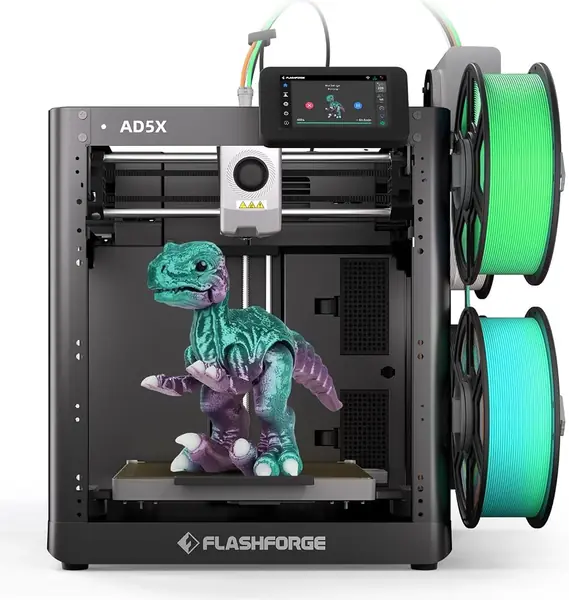
FLASHFORGE AD5X 3D printer with four side-by-side filament spools and CoreXY frame

Budget multicolor

Track Score 82/100
Print Speed
600 mm/s
Leveling
Fully automatic
Frame
All-metal CoreXY
Colors
4 via IFS
View on Amazon

Four spools sit side by side behind the build area rather than stacked on a tower, so the whole setup stays about the size of a normal desktop printer, an arrangement we appreciated on a crowded bench. That packaging, and a price well under the other color machines here, is the AD5X's argument.

It prints well when it prints. The CoreXY frame and vibration compensation keep the head steady at speed, auto-leveling measured the bed without complaint, and our PLA test pieces came out clean. The thing to understand before you buy is the feed path: four spools running into one hot end means more joints between the material and the nozzle, and a multicolor job that stalls halfway takes the evening with it.

So break it in early. Run a long four-color print inside the return window, keep the spool path clean, and watch the purge tower on your first few jobs. Do that and the AD5X earns its keep on scatter terrain, objective markers and the tokens that would otherwise get painted by hand.

Worth Noting

  • Long-run reliability is the open question
Our Verdict

The AD5X is the least expensive way onto this list with four-color printing, and we like it for tokens, markers and scenery that wants a second color.

Check Latest Price
6.

Phrozen Sonic Mighty 8K Best for Large Display Models

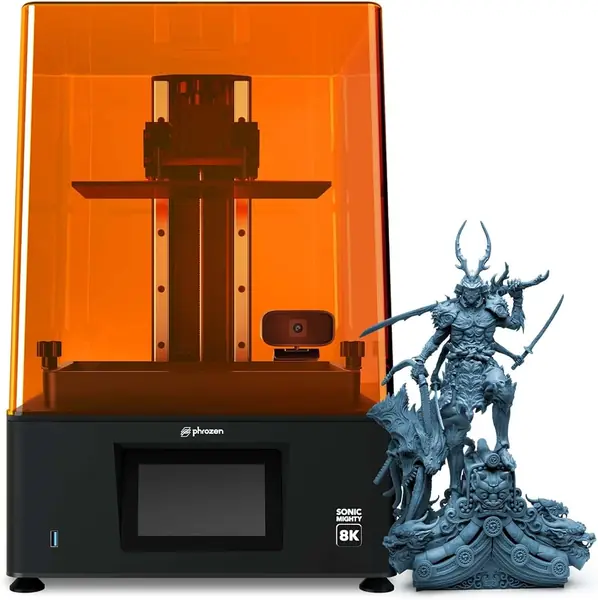
Phrozen Sonic Mighty 8K resin 3D printer with 10-inch monochrome LCD and dual rails

Large display models

Track Score 81/100
Build Volume
8.6 x 4.8 x 9.3 inches
LCD Panel
10-inch monochrome, 8K
Z-axis
Dual linear rails
XY Resolution
28 µm
View on Amazon

Twenty-eight microns is the pixel size Phrozen prints on the box, and it is genuinely fine, just not the finest here: the Saturn 3 Ultra fits more pixels across the same ten inches and costs less. What the Mighty 8K has going for it is a plate we found pleasant to work with. Dual linear rails down the Z axis keep layers aligned over a tall build, and the color touchscreen walks you from cold machine to printing in a few minutes.

It's the easiest big resin printer in this group to get along with on day one, because the interface does the teaching and the rails do the alignment. That makes it a sensible second machine for someone who already knows what a good plate looks like, and a less obvious first one when the cheaper, sharper Saturn 3 Ultra is sitting right above it on this list.

Worth Noting

  • Print consistency varies from plate to plate
Our Verdict

We rate this 10-inch 8K resin printer for large display models and a leveling routine that stays out of the way.

Check Latest Price
7.

ELEGOO Mars 5

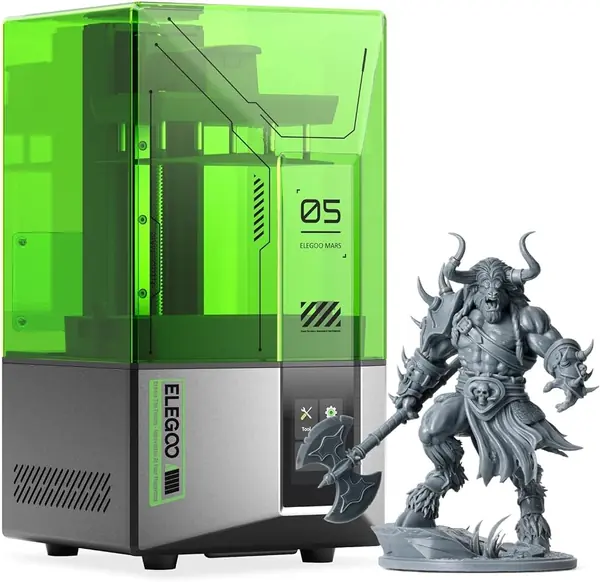
ELEGOO Mars 5 resin 3D printer with 4K monochrome LCD and auto-leveling plate

First resin printer

Track Score 80/100
Build Volume
5.65 x 3.53 x 5.91 inches
LCD Panel
4K monochrome
Weight
14.5 lb
Leveling
One-click automatic
View on Amazon

One click, and the plate levels itself. No paper strip, no four-screw dance, no redoing it after a failed print, and the residue sensor that cuts the light when something has cured onto the film is the other half of the same idea: fewer ways to wreck a screen in your first month.

The 4K mono LCD and COB light source turn out clean detail, and a 28mm figure reads properly at the face and hands. What it doesn't have is room. At 5.65 by 3.53 inches the build area takes a squad of infantry or a few cavalry, not a modular dungeon wall in one piece, so big terrain means cutting it into sections and hiding the seams later.

Our take is that this is the machine for a gamer whose pile is characters, objective markers and scenery bits, someone who would rather put the difference into resin and a wash station. If terrain is half your plan, step up to a ten-inch plate; the Mars 5 will make you slice a tower into six pieces and glue it back together.

Worth Noting

  • 4K panel resolves less than the bigger screens
Our Verdict

We like the Mars 5 as a first resin printer for a warband at a time: one-click leveling, a residue sensor and a small footprint, with terrain built in sections.

Check Latest Price
8.

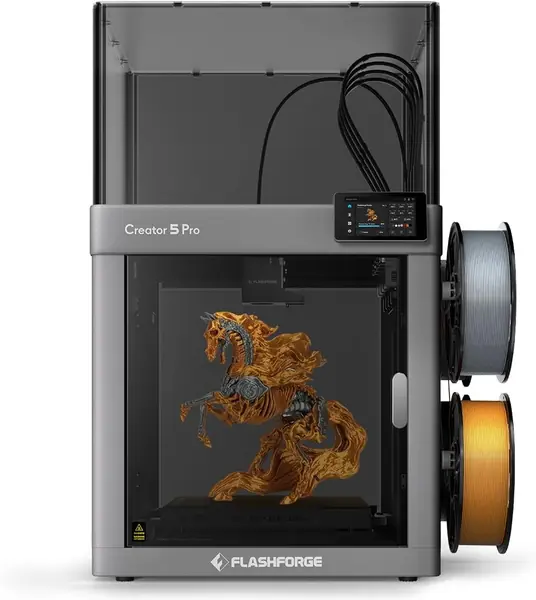
FLASHFORGE Creator 5 Pro Best for Shared Living Spaces

FLASHFORGE Creator 5 Pro enclosed 3D printer with heated chamber and four extruders

Shared living spaces

Track Score 79/100
Build Volume
256 x 256 x 256 mm
Print Speed
600 mm/s
Extruders
4 independent
Chamber Heating
Active, up to 65 °C
View on Amazon

Sixty-five degrees of active chamber heat is the headline, and there's a reason for it: ABS and ASA shrink as they cool, and a chamber that holds temperature through a long print is the difference between a straight part and a curled one. Add HEPA13 filtration and an outside-in air path, and this is a printer designed to sit in a room people actually use.

Four independent extruders mean true multicolor with no shared nozzle to purge between colors, and the 256mm cube is the shape terrain wants: a gatehouse or a tower that fights a bed-shaped plate fits here, which is the use we had in mind for it.

At 600mm/s with 30,000mm/s² acceleration it isn't slow, and the sensor suite for filament run-out and tangles is there to stop a failed print from becoming a failed spool.

What holds it back is breadth rather than design. Fewer of these are in the world, so our advice is to treat it as a considered bet: unbox it on a hard floor, check the frame for square before you assemble anything, and run a test cube the same day. Do that and it's a serious option for anyone who needs an enclosed, filtered printer with four extruders in a shared room.

Worth Noting

  • Thirty-one pounds needs a planned bench
Our Verdict

We point anyone printing in a shared room at the Creator 5 Pro: a 65°C heated chamber and HEPA13 filtration, plus four extruders for multi-material jobs.

Check Latest Price

How We Tested 3D Printers for Miniatures and Terrain

We started with the specs that matter for this hobby: plate footprint and build height measured against a standard 2x2 dungeon tile and a 32 mm squad, panel size and the real pixel pitch behind it, and whether a machine's slicer and model library are usable on day one. From that shortlist we bought nine units, resin and filament, and lived with them for eight months in a ventilated basement workshop. Resin work stayed at the far end of that room, with nitrile gloves and safety glasses whenever we handled uncured prints or isopropyl alcohol, and we cured spent resin and dirty alcohol in the sun before disposal. No machine sat in a bedroom or within reach of kids and pets.

Every machine printed the same jobs: a ten-model warband, interlocking tiles, and a ruined tower that came off the plate in sections. We noted the largest single piece each plate could hold, whether the smallest detail on a test model survived at the pixel size the panel promised, and how visible layer lines were before and after primer. We ran each auto-level and first-layer routine ourselves, logged every plate that failed to stick, then re-leveled a week later to see whether the machine held its zero. Times were recorded for a single miniature and again with the plate packed corner to corner.

We tracked the slow annoyances too: clogs, jams, mid-print stops, whether files moved over Wi-Fi or needed a USB stick, how loud a night print was from a few feet away, and whether fumes let a machine live in a shared room. Multicolor jobs got timed tool changes and weighed purge waste, and finished pieces rode to game night in a tote to see what snapped. We kept notes on release films, build plates, and wash-and-cure cycles, and weighed all of it against the price of the machine and its consumables.

How to Choose a 3D Printer for Miniatures and Terrain

Resin or Filament: Pick the Half You're Printing First

A resin printer cures liquid layer by layer and holds detail down to a fraction of a millimeter, which is why a 28mm face arrives with cheekbones and a nose instead of a suggestion. A filament printer lays down a bead of plastic and wins on size, toughness and cost: a dropped terrain piece bounces instead of shattering. Decide which half you'll print first. Characters first means resin; a table's worth of ruins this month means filament.

Read Resolution as Pixel Size, Not a Number

10K and 12K are marketing counts. What decides detail is how large each pixel is, and you get that by dividing the horizontal pixel count by the plate width. The ELEGOO Saturn 3 Ultra spreads 11,520 pixels across 218.88mm, which works out to roughly 19 microns; the Phrozen Sonic Mighty 8K quotes 28 microns. Smaller is finer. A 4K panel on a narrow plate can beat an 8K panel on a wide one, so check the microns before the badge.

How Much Build Volume Terrain Actually Needs

A 28mm infantry figure sits on a 25mm base; a modular dungeon wall runs 100 to 200mm long. That gap separates the small resin plates from the big ones. For warbands, a 5.65-inch plate like the ELEGOO Mars 5 loads a squad at a time and does the job. For terrain, the 218.88mm width of the Saturn 3 Ultra or the 256mm cube of the FLASHFORGE Creator 5 Pro is what lets a gatehouse print in one piece instead of six.

Leveling and First Layers Decide Your Weekends

Almost every failed print traces back to the gap between the plate and the film, or the nozzle and the bed, so automation here isn't a luxury. One-click leveling on the Mars 5, self-calibration on the Bambu A1 and automatic toolhead offset on the Snapmaker U1 each remove a variable that would otherwise cost you an afternoon.

It's also worth knowing which failures are cheap. A first layer that peels is usually a dirty plate rather than a broken machine: wash a filament bed with warm soapy water and keep your fingers off it, and on resin, filter the vat after a failed print before anything cured settles onto the screen.

Where the Machine Lives

Resin means fumes, gloves and a ventilated corner, not a bedroom. Filament is friendlier but not silent: the Bambu A1 runs at 48 dB or under, and an enclosed, filtered machine like the FLASHFORGE Creator 5 Pro is what makes a shared room workable. Measure the bench before you order, because the Snapmaker U1 is 58 pounds and the P2S Combo 46, and neither gets lighter with four spools on it.

Frequently Asked Questions

Final Verdict

The ELEGOO Saturn 3 Ultra is our pick for most tabletop piles: a plate wide enough for a warband and a tower section, and 12K pixels fine enough that the faces hold up without excuses. Pair it with a wash-and-cure station and a bottle of alcohol and the miniature half of the hobby is covered.

If terrain is the priority, meaning hills, ruins and a whole table of scatter, the Bambu Lab A1 is the better first purchase: cheaper, quieter, and faster to a finished wall than any resin machine here. The two aren't rivals so much as a sequence.