Best Resin 3D Printers of 2026

Resin printing earns its smell and mess at small scale. A 28mm miniature comes off the plate with folds in the cloak and an actual nose on the face, which is why people glove up, ventilate a spare room and treat a tray of liquid like chemistry.

The numbers on the box help less than you'd expect. A 16K panel isn't automatically sharper than a 9K one, since what matters is how the pixels spread across the plate, and speed ratings are ceilings rather than what your print will take. Over nine months, from miniatures to a terrain piece that filled the plate, we watched auto-leveling, failure detection and tank heating as closely as print quality. Some of the six picks belong in a cold garage and some on a narrow shelf, and the price gaps between them are real.

Our Top Picks

The Best Resin 3D Printers

1.

ELEGOO Mars 5 Ultra Best Overall
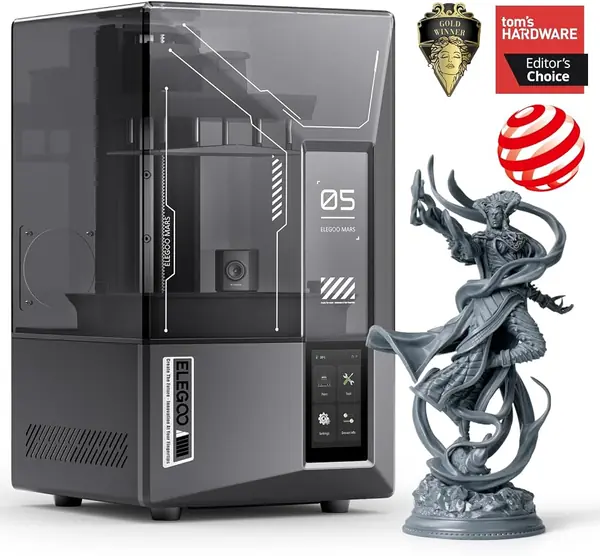
ELEGOO Mars 5 Ultra resin 3D printer with 7-inch 9K mono LCD and auto-leveling plate

Miniatures and prototypes

Track Score 86/100
Build Volume
6.04 × 3.06 × 6.49 in
Screen
7-inch 9K mono LCD
XY Resolution
18 µm
Max Print Speed
150 mm/h
View on Amazon

Leveling a plate by hand, then finding out a fleck of cured resin has welded itself to the LCD — that is the part of resin printing nobody enjoys, and the Mars 5 Ultra is designed to remove both chores. ELEGOO's 7-inch 9K panel resolves 18-micron pixels, the plate levels itself in one click, and a sensor watches the vat for leftovers. For most people buying their first serious resin printer, this is the one we point to.

The build volume is 6.04 × 3.06 × 6.49 inches, which holds a plate of 28mm figures, a 1:32 slot car body, or one model around six inches tall — miniatures and parts rather than helmets and hulls. What we paid closest attention to was the peel. Tilt release lifts each layer off the film at an angle instead of straight up, and tall, thin parts are where that shows: fewer snapped supports and fewer reprints. ELEGOO rates the machine at 150 mm/h, which reads as a ceiling once layer height and resin have their say.

The friction here is software, not hardware. Slicing, supports, and the Wi-Fi transfer setup are where new users stall, so plan an evening with a calibration model before committing to a long print. Reliability is the caveat worth taking seriously: early screen failures happen on machines in this class, so buy where returns are simple and keep a spare LCD on hand.

Worth Noting

  • Build volume caps out at six-inch models
Our Verdict

For most people buying a first serious resin printer, we recommend the Mars 5 Ultra: 18-micron detail, self-leveling, and fast tilt-release printing at a midrange price.

Check Latest Price
2.

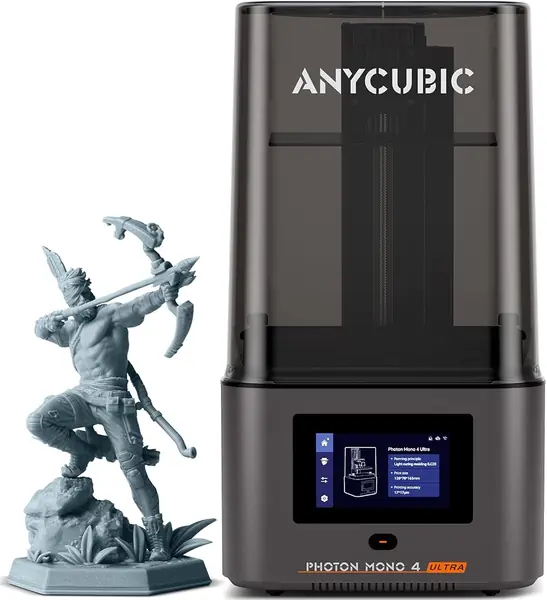
ANYCUBIC Photon Mono 4 Ultra Best Value

ANYCUBIC Photon Mono 4 Ultra resin 3D printer with 7-inch 10K screen and ACF release film

Budget miniature printing

Track Score 85/100
Build Volume
6.04 × 3.42 × 6.49 in
XY Resolution
17 × 17 µm
Weight
8.8 lb
Max Print Speed
120 mm/h
View on Amazon

The least expensive printer here still puts a 10K panel over the vat. ANYCUBIC's Photon Mono 4 Ultra resolves 17-micron pixels on a 7-inch screen, which is finer than machines in this guide that cost noticeably more.

That is the whole argument for it, and it is a strong one: resolution is the specification that shows up in the finished piece, especially at miniature scale. The COB light source and Fresnel lens keep the light column tight — ANYCUBIC quotes an angle within 3° — and tight light keeps small features crisp rather than soft. In our side-by-side prints, the small details held up against machines that sell for far more.

It is also the lightest machine here at 8.8 pounds, which matters if your workbench doubles as a desk and the printer has to live on a shelf between sessions. Five automatic inspections handle the housekeeping, from printer self-check to leftover-resin monitoring. Speed is where it gives ground: 120 mm/h trails the quickest printers here, so tall builds take longer, and the ACF film behind that speed is a wear item. One shopping note — the cheaper standard Photon Mono 4 uses the same 10K panel and pixel size, so the Ultra's extra money buys the faster release, the tighter light, and the bigger touchscreen rather than more detail.

Worth Noting

  • 120 mm/h top speed trails the quickest here
Our Verdict

Detail per dollar is the case for the Photon Mono 4 Ultra, and we think it is the easiest budget recommendation in this guide.

Check Latest Price
3.

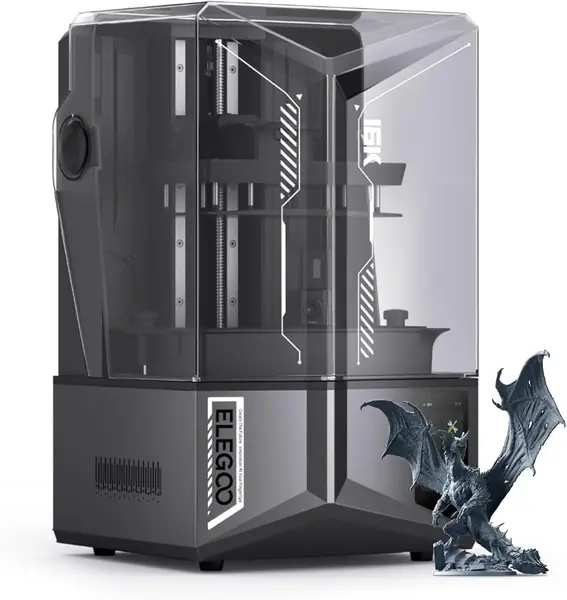
ELEGOO Saturn 4 Ultra 16K Best for Cold Rooms and Bigger Prints

ELEGOO Saturn 4 Ultra 16K resin 3D printer with 10-inch 16K LCD and heated resin vat

Cold-room batch printing

Track Score 82/100
Build Volume
8.33 × 4.66 × 8.66 in
Screen
10-inch 16K mono LCD
Weight
35.5 lb
Tank Heating
30 °C
View on Amazon

Resin misbehaves in a cold garage: it thickens, layers delaminate, and prints that worked in July fail in January. The Saturn 4 Ultra 16K answers that with a heated vat that holds resin at 30 °C, and it does it on a 10-inch 16K panel with an 8.33 × 4.66 × 8.66-inch build area.

Volume is the other reason to step up. That plate takes a squad of figures, a 1:24 slot car body in one piece, or a set of parts you would otherwise split across three runs. Leveling is a one-click affair, the AI camera watches the build with its own light so you can check the plate from another room, and tilt release handles the peel. In a warm room the heater is dead weight; in a cold one it decides whether the machine is usable half the year.

What we keep coming back to is how little attention it asks for between prints — no leveling ritual, no lifting the lid to see whether the first layers took, no guessing about resin temperature. It is not a machine you move: 35.5 pounds and a footprint more than two feet across mean it earns a permanent bench. At this size it is a step up from the Mars 5 Ultra rather than a first printer for someone still deciding whether they enjoy the hobby.

Worth Noting

  • 35-pound body takes a permanent bench
Our Verdict

A heated vat and a 10-inch 16K plate make the Saturn 4 Ultra 16K our pick for cold workshops and models that will not fit a small plate.

Check Latest Price
4.

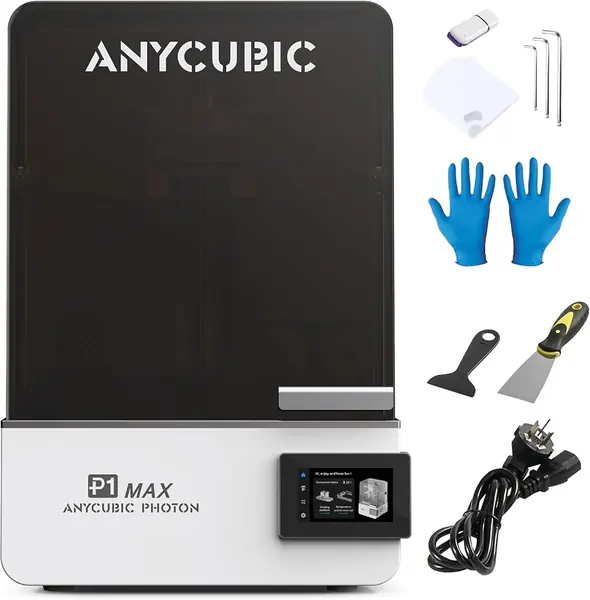
ANYCUBIC Photon P1 Max Best Large-Format

ANYCUBIC Photon P1 Max large resin 3D printer with 14-inch 12K screen and heated tank

Large models

Track Score 81/100
Build Volume
11.24 × 8.43 × 11.81 in
Screen
14-inch 12K
Tank Heating
Up to 35 °C
Repeatable Accuracy
±0.01 mm
View on Amazon

Eighteen point three liters is the number that defines the Photon P1 Max: a build area of 11.24 × 8.43 × 11.81 inches, enough for a large model in one piece or a batch of parts that would take three runs on a desktop machine.

What sold us is that ANYCUBIC did not simply scale up the plate. The 1.9-liter vat heats resin to 35 °C, which matters on long builds where a cold tank can cost an entire print, and ±0.01 mm repeatable accuracy puts this in engineering territory — threaded parts, snap fits, and fixtures that have to work on the first try. Auto leveling checks the corners before each print, and the AI keeps watch on the plate and the resin level while you are elsewhere.

The trade-off is detail against size. Spreading 12K across 14 inches yields larger pixels than the 7-inch machines here, so this is not the printer for the finest faces on a 28mm figure; the Mars 5 Ultra renders those better for a fraction of the money. At 50.8 pounds on a 29.5-inch footprint it also needs a real bench and genuine ventilation, which makes it a workshop purchase rather than a kitchen-table one.

Worth Noting

  • 50.8-pound weight needs a dedicated bench
Our Verdict

We see the Photon P1 Max as the large-format answer here: 18.3 liters, a heated vat, and accuracy that holds fitted parts to tolerance.

Check Latest Price
5.

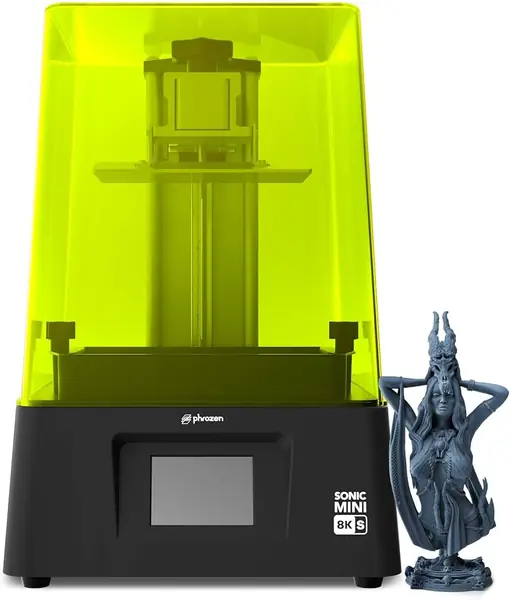
Phrozen Sonic Mini 8K S Best for Miniatures

Phrozen Sonic Mini 8K S resin 3D printer with 7.1-inch mono LCD

Miniatures and figures

Track Score 80/100
Build Volume
6.5 × 2.8 × 6.7 in
Screen
7.1-inch 8K mono LCD
XY Resolution
22 µm
Slicer Support
Lychee, Chitubox, Tango
View on Amazon

Just over 11 inches square, the Sonic Mini 8K S is small enough to live on a shelf once the print is done. Phrozen still fits a 7.1-inch 8K panel and 22-micron pixels into that footprint.

Detail is the reason to choose it. Twenty-two microns is finer than most of this group, and because the panel is small the light source does not have to cover much ground to keep edges sharp. It also accepts open slicers — Lychee, Chitubox, Tango — which matters if you already have a workflow and do not want to relearn one for a new machine.

We like it best as a second printer, or as a first one for someone whose output is figures and nothing bigger. The build volume is 6.5 × 2.8 × 6.7 inches, and the 2.8-inch width is the real limit: a rank of miniatures fits comfortably, a vehicle body does not. Files go over USB, with no Wi-Fi, and it runs slower than the tilt-release machines here. Neither is a dealbreaker at this price, but both are things you notice every week.

Worth Noting

  • Files transfer by USB only
  • Narrow 2.8-inch plate width limits models
Our Verdict

We like the Sonic Mini 8K S for figures and small parts on a crowded bench — 22-micron detail in a footprint that fits a shelf.

Check Latest Price
6.

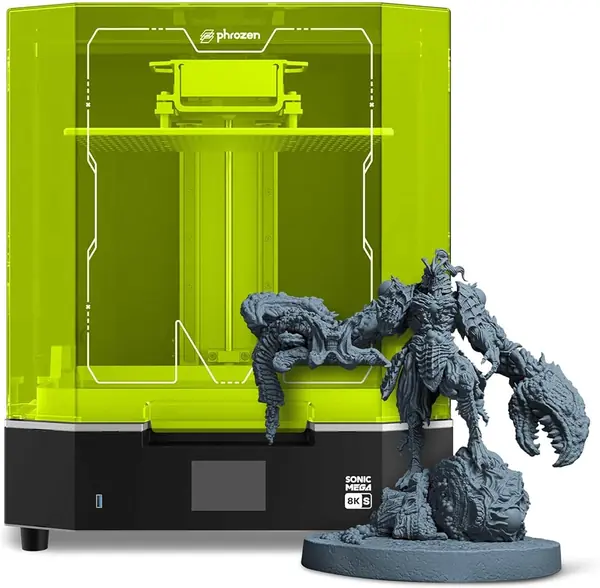
Phrozen Sonic Mega 8K S

Phrozen Sonic Mega 8K S large resin 3D printer with 15-inch LCD and lift-up lid

High-volume production

Track Score 76/100
Build Volume
33 × 18.5 × 30 cm
Screen
15-inch 8K mono LCD
XY Resolution
43 µm
Release Film
ACF
View on Amazon

This is the one here built like a production machine rather than a desktop appliance: a 15-inch 8K panel over a 33 × 18.5 × 30 cm plate, a lid that lifts up so it needs no clearance behind it, and a metal hanger that holds the build plate over the vat to drip.

The rest of the specification follows that intent — 43-micron pixels, ACF film paired with Phrozen's TR300 high-speed resin, and a plate that swallows terrain, props, and slot car shells in multiples. If your problem is a print queue rather than a single display model, the numbers that matter are plate area and turnaround, and this machine is designed around both.

Where it gives ground is fineness. At 43 microns it is the coarsest printer in this guide, which shows on small faces and sharp edges that the 17- and 18-micron machines render cleanly; on scenery and larger parts the gap disappears. It is also the most expensive machine here, so we see it as the purchase you make when batch capacity genuinely is the constraint — not as an upgrade for detail.

Worth Noting

  • 43-micron pixels are the coarsest here
  • Large floor footprint needs dedicated space
Our Verdict

The Sonic Mega 8K S is production equipment to us — buy it when plate area and turnaround matter more than the finest detail.

Check Latest Price

How We Tested Resin 3D Printers

We started with spec sheets, not samples. We filtered the field by build volume, panel size and pixel pitch, and whether a machine offered auto-leveling or tank heating, then set aside anything priced far outside what most people spend. Reviews from owners who'd lived with a printer six months or more narrowed it further, because LCD failures, worn release film, and dead ports came up far more often than print quality. That left seven machines, which we ran for nine months in a ventilated spare room and a garage that drops into the 50s overnight.

Each printer saw the same jobs: a set of tabletop miniatures, an action figure, and one large single-piece model sized to check whether the advertised build volume was real. We timed every print off an actual plate of parts rather than trusting the mm/h figure on the box. We weighed and measured each machine, since a printer that takes two people to lift doesn't live on a shelf, and we checked the release film after every run for clouding and dents.

We also loaded thick and engineering resins, not just standard gray, to see which machines held their settings through the slower exposure without stalling. In the cold garage we watched whether tank heating held temperature through an overnight job, and when a print did stall, we noted whether failure detection paused it or let it keep going. Gloves and eye protection came on for every tank drain and wash, and waste resin and used IPA left as household hazardous waste — never down a drain.

How to Choose a Resin 3D Printer

Start With the Plate, Not the Panel

A 9K screen on 7 inches produces smaller pixels, and finer detail, than a 12K screen stretched across 14 inches. Resolution is the biggest number on the page, so it gets ranked first, but the plate decides what you can actually make. The compact machines here top out around six and a half inches of build height, which handles figures and a 1:32 slot car body; a 1:24 body or a large prop wants the 8-inch-and-up class. Measure the longest part you plan to print and match it to build volume before you compare anything else.

What Pixel Size Actually Buys You

Pixel size, quoted in microns, is the honest comparison between screens of different sizes. Roughly 17 to 22 µm renders miniature faces and sharp edges cleanly, while 43 µm starts to soften them. Layer height, exposure settings, and resin quality also shape the surface, so a finer panel only pays off if you print subjects judged up close. For terrain, props, and functional brackets, put the money into plate area instead of microns.

Speed Ratings Are Ceilings

Printers are now rated from 120 to 150 mm/h, and those figures assume thin layers, warm resin, and a forgiving model. The mechanism behind the number matters more than the number: tilt-release machines peel each layer at an angle, which lowers the suction force on tall, thin parts and cuts the supports you need. A slower printer with a good release film finishes a delicate figure more reliably than a fast one that yanks it off the film. Read speed as a ranking among machines, not as a schedule.

Automation Worth Paying For

Two automatic features earn their cost. Self-leveling removes the step that most often goes wrong during a first setup, and a residue or foreign-object sensor protects the LCD, because cured resin on a screen is the most expensive mistake in this hobby. Cameras and AI failure detection are pleasant extras that let you check a build from another room. They are genuinely useful, but they are not the reason we choose one machine over another.

Plan the Room Before the Printer

Resin smells, and every machine here needs a space you can ventilate: a garage, a utility room, or a bench near a window with a fan moving air outward. Temperature is the other half of placement. Resin prints best warm, roughly 75 to 80 °F, and a cold tank is a common cause of delamination and failed layers. If the only space you have drops below that in winter, a heated vat stops being a luxury — it keeps the machine usable year-round.

Frequently Asked Questions

Final Verdict

Most people should buy the ELEGOO Mars 5 Ultra. It prints fine detail at 18 microns, levels itself, and moves fast enough that a plate of figures does not eat an evening — the combination that makes a resin printer feel like a tool instead of a project.

Step up to the Saturn 4 Ultra 16K if your models do not fit a six-inch plate or your workshop runs cold, and to the Photon P1 Max if you need engineering-sized parts. If budget decides and speed does not, the Photon Mono 4 Ultra delivers the finest pixels here for the least money.